Entries in Google Chrome (91)

Friday
Oct252019

Google Chrome 78 on iOS 13 now supports system-wide dark mode

Browsing through Chrome in the middle of the night on your iPhone will no longer burn your retinas. Version 78 of the browser now supports iOS 13's system-wide dark mode, which means if you have the feature enabled, Chrome will follow suit. However, Google's take on the dark theme isn't a real black background. Instead, it brings a grey background colour throughout the interface. Sites that support dark mode will change as well. 

Another change this update brings is the new card-like interface for sections like Bookmarks, History, Recent Tabs, Reading Lists, and Settings. These sections will slide up from the bottom when you pull them up, and you can swipe them away when you're done with them. Chrome now also lets you add a new credit card directly from the Settings page. This update is now available on the App Store.

Source: 9to5Google

Tuesday
Aug132019

Google smartens up dark mode for the next version of Chrome for Android

The new beta release for Google Chrome on Android wants to make the dark mode a bit smarter. The aim is to make the site look more normal when dark mode is forced. Chrome 77 for Android is less likely to invert the color of images, even if their backgrounds are mostly white. This beta update is also less likely to turn gray text bright white, so it'll be a more comfortable reading experience. And it'll be closer to what the site's creators originally intended.

When dark mode first came to Android, it was simply a way to invert the colors of an entire site. But when it comes to photos, this would sometimes render them indecipherable. The previous version of Chrome automatically activated a dark version of a site if one is already available, and it only reversed the colors if there's no alternative. 

Source: Tech Radar

Thursday
Jul042019

Online shopping with Chrome across your devices just got easier

You don’t have to be tied to Chrome on your desktop to shop with ease now. If you saved your payment information with Chrome, then you can access this on any device you have Chrome on. You’ll be prompted to use saved payment information when filling out a checkout form. To use this feature, you don’t need to have Chrome Sync turned on (it also won’t turn Sync on for you). As long as you’re logged into your Google account and buying from a place that supports Google Play, it can pull up your saved credit or debit card information. As a precaution, it’ll still ask you to confirm your card’s CVC when you checkout. You also have the option to add a new payment method to your account, which Google with confirm through an email. You can also save a payment method locally by pulling up Chrome Settings > Payment Methods > Add. This will be useful if you want your payment information saved on a single device.

Source: SlashGear

Thursday
Jun062019

Google launches site to make remote desktop access easier

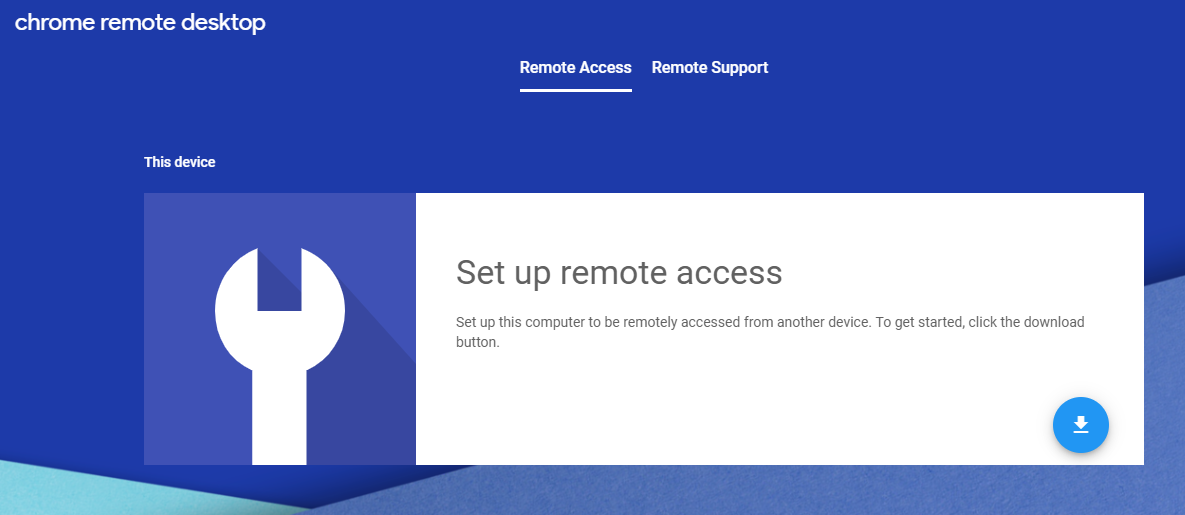
While there is a Chrome app already that helps give you remote access to someone else’s PC, Google is making it easier for you to troubleshoot a friend/relative/co-worker’s computer issues. All you need to do is visit this site. One person will need to set up the tool and generate an access code that the other person will need to log in. Once that’s set up, then you’re ready to help out.

Source: Engadget