



















Review: HP TouchPad 32GB webOS Tablet
 Monday, July 11, 2011 at 7:58AM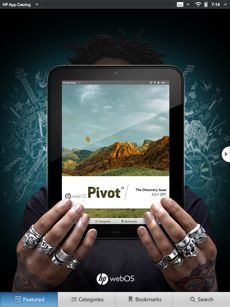
Text and Photos by Gadjo Cardenas Sevilla
Hewlett-Packard's first webOS 3.0 tablet, the HP TouchPad, which ships this week in Canada, will compete for the hotly contested 10" inch tablet space. Offering true multitasking, in-app notifications and innovative features such as Touch to Share, wireless docking and charging as well as HP Synergy's cloud savvy integration it seems to have a lot to offer, but is it enough?
We wanted to wax nostalgic about how we loved Palm as a company and its products and how the TouchPad was, in essence, the realization of a Palm Tablet. But, we're not going there. Palm is dead and while its DNA and innovative ideas are present in all of the webOS products, we're clearly entering a new era which is solely owned by HP.
Unlike their iOS or Android counterparts, webOS phones haven't enjoyed massive success. We've owned a few ourselves, the original Pre (on Bell) and later on the Pre 2 (unlocked, running on TELUS) and while we loved how webOS handled, the lack of quality applications on that operating system and abhorrent battery life had us running back to Android and iOS in a few months.
The HP TouchPad is a big launch for HP, they're wooing developers to get on board and port their apps and they're ready to carpet bomb TV with contrived adverts featuring Russell Brand espousing the qualities of the software and hardware.
The HP TouchPad ($449.99 for the 16GB version and $549.99 for the 32 GB version) is even more important if you consider that HP will be offering webOS on all its future PCs and even printers. There are also reports that HP may be looking to license webOS to other manufacturers which will certainly help increase user adoption.
We got to see the device during an invite-only developer event at Toronto's Spoke Club as well as Future Shop's back to school event where HP had a booth. A handful of tech journalists were lent TouchPads to test along with accessories as well as an extranet and phone hotline for any questions that we may have during our review. So, let's get to it then.
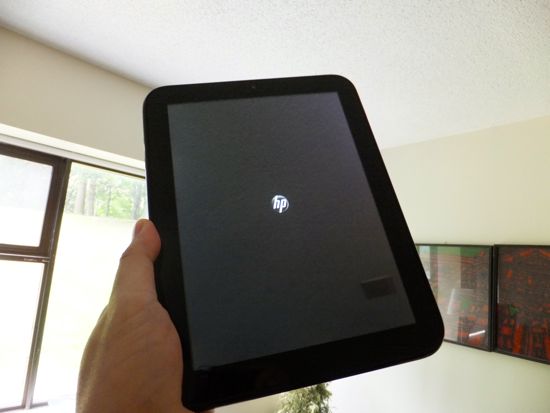
First Impressions
Hardware
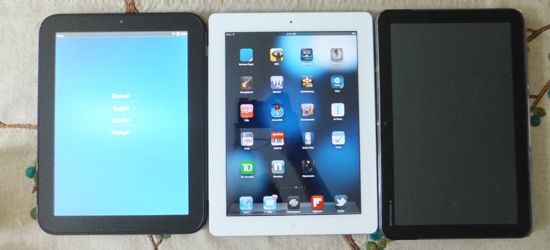
With the exact screen dimensions as the Apple iPad (and most likely, an almost identical screen but not the multitouch component). There's no avoiding the comparison between the iPad and the HP TouchPad since of all the competitors it is the one that most closely resembles Apple's tablet, at least in screen size. This screen is also covered in super strong Gorilla Glass.
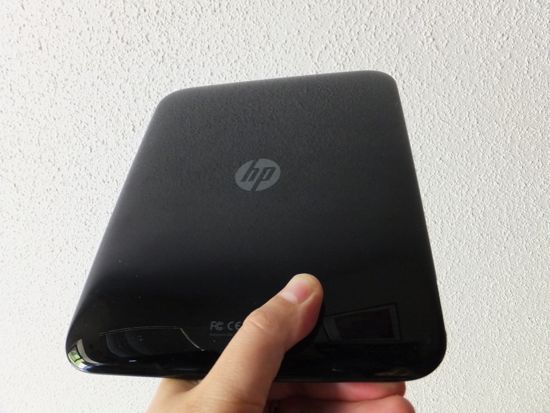
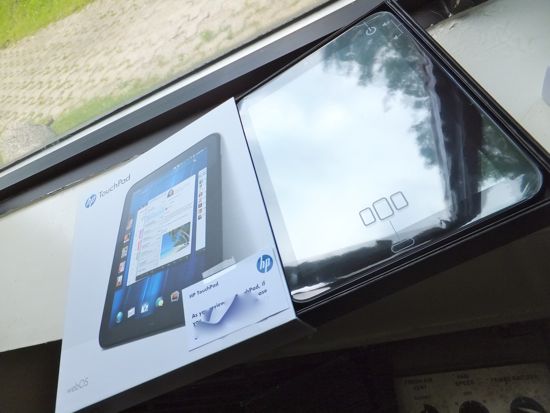
The HP TouchPad is encased in piano black shiny plastic which looks stunning when you first take it out of the box. In terms of design, it has a lot of similarities to the iPhone 3GS or even Samsung's Nexus S because of the rounded, highly contoured and polished shape.
The downside is that the plastic is exceedingly slippery and extremely prone to smudges and fingerprints. The danger here is that manic users (like ourselves) will spend an inordinate amount of time wiping and polishing the tablet, which increases the chance of dust and grit scratching the surface. We would have preferred a rubberized backing for the TouchPad just like the one in the Pre 2.
There is but one external port and it is a microUSB port for connecting the wall charger. We're happy HP remained prudent and didn't create yet another proprietary port for just this one device. There isn't any room for microSD expansion which is unfortunate and the battery is also a sealed-in, non-user replaceable one which means you'll have to send it back to HP to replace in three years when the battery finally dies.
Aside from the metal power on and volume control buttons, the TouchPad has a home button that is used to minimize the cards. This button has a grain of rice shaped LED indicator that pulses when notifications come in. HP has been partnering with Monster for the Beats audio system and there are Beats stereo speakers on the TouchPad which are reasonably loud and clear for a tablet.
The TouchPad also has a front facing camera, although no application aside from Skype seems to be able to use it at this time.
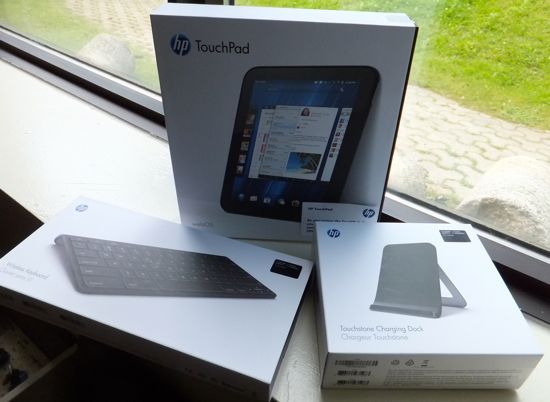
We were also able to test the TouchStone charging stand which uses inductive technology to charge the TouchPad (even when it is in its case). Charging this way brings up Exhibition Mode which can display time, feeds and calendar information which is neat.
It will be faster to charge the TouchPad by plugging it directly to a wall socket but the TouchStone is just cool and a feature that all tablets should offer.
Battery life ranges between 6-7 hours which is way less than what we experienced on the iPad and iPad 2 (11-hours) but puts in on par with Honeycomb tablets like Motorola's XOOM.
While it feels relatively sturdy, we can see a lot of users being put off by the TouchPad's plastic case which might give the impression of being inferior to other metal-clad tablets.
We don't think so, we feel that the TouchPad is pretty sturdy (we had ours fall off the bed and tumble across the carpeted floor with nary a scratch). The TouchPad also exhibited stellar WiFi connectivity during our tests and we can't help but credit the all-plastic construction for this as it had far better WiFi reach than our Motorola XOOM, the iPad 2 or many of the smartphones we've owned and tested.
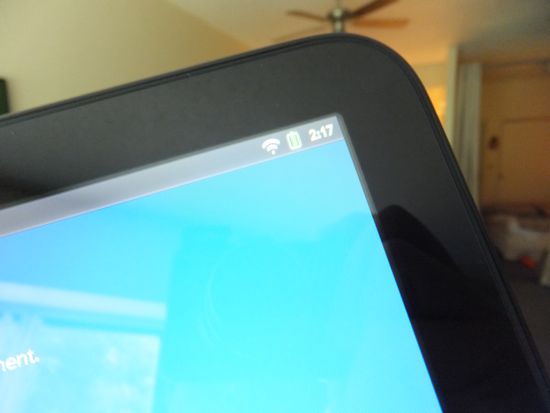
If we owned a TouchPad we would likely invest in a ZAGG InvisibleShield to cover the back. While we hate installing those screens, it would add grip and protection (so we don't spend so much time cleaning off gunk and hand secretions) and we can still get the inductive charging going.
Due to its contoured and rounded shape, the TouchPad is actually a delight to carry around and use with two hands. No sharp edges make it more ergonomic to the human hand, the polished rock look and feel from the Pre is clearly in effect here.
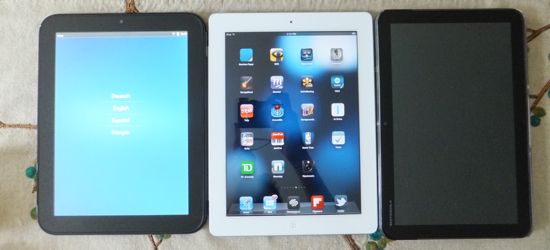
The TouchPad is one of the heavier and thicker tablets around and this might be an issue considering that it costs the same as thinner, lighter tablets like the Samsung Galaxy Tab 10.1 and iPad 2. As with any personal device, we suggest users go check out the TouchPad in Future Shop on the 15th when it begins shipping.
Software
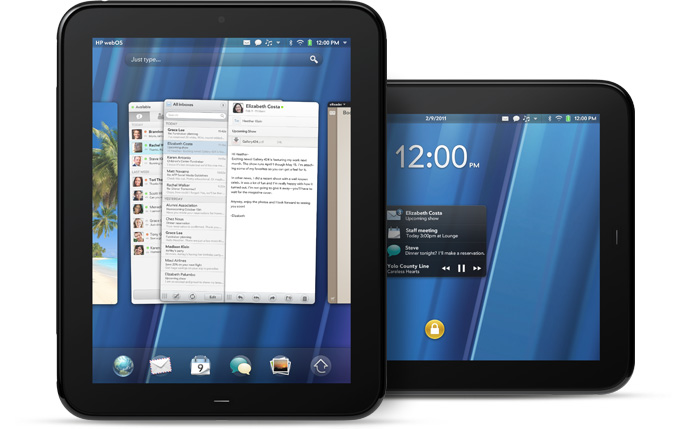
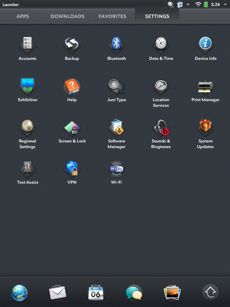 webOS isn't app-driven so your main screen will not be filled with apps as they are on iOS or widgets or overlays such as various Android flavours. webOS, which we always felt was a promising smartphone operating system with great performance, does translate very well to the larger screen. Launch an application and it will fill up the screen.
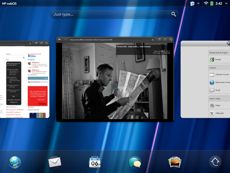
When you're done, just click the home button and the application will shrink in the screen where you can flip it away to close it or stack it above other cards or applications.
We're big fans of the JustType search technology employed by webOS to enable powerful searches right from the home screen.
This just beats any plain old search app on any device we've used and reminded us why we loved webOS on the Pre 2 so much. You can also add an inordinate number of sources to search but this will slow things down.
This aspect of the OS is fluid and tightly implemented on the TouchPad. As a result, the TouchPad is incredibly easy for one to learn to use and we can see younger users as well as older users who are PC averse getting along quite well with the TouchPad due to its ease of use so it is up to par with the iPad and iOS in this respect.
Ease of use is one thing, the abundance (or lack of ) apps is another.
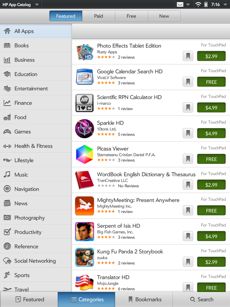
There are supposedly 300 TouchPad-specific applications available and you can access any of the 6,000 Pre smartphone apps as well.
The problem with the smartphone apps is a big one, since that they run in emulator mode and while you can operate them, they remain small. There's no way to scale these smartphone apps to fit the large screen.
 With a 1.2GHz dual-core processor, we wanted to see just how powerful the TouchPad was but the only test we could run was a browser speed test.
We pitted the TouchPad against the Motorola XOOM as well as the iPad and in most of our results the TouchPad trailed the two tablets by about a second when loading busy websites like CNN.com, Maxim.com and BBC.co.uk.
Getting files in and out of the TouchPad can be done by connecting it to a PC or Mac and emplying USB drive mode. This allows dragging and dropping of files that can be accessed from the device. HP also offers software that will sync the TouchPad with certain folders on your PC.
Other glitches observed during our testing period were overly-sensitive screen rotation which at times sends the TouchPad in a neurotic fit of orienting and re-orienting the screen with the slightest movement. HP reps have told us that these problems will be addressed in an update that's coming soon.
We also didn't get to test the Touch To Share function as we had no compatible HP smartphone to try the functionality out.
We experienced some stalling when accessing the HP App Catalog, which left us with a spinning icon for minutes at a time and lack of response to touch commands, which we felt to be a serious issue. There's a slight lag when you press some buttons and parts of the screen which has to do with sensitivity of the touch component.
 Back to apps, we were somewhat dismayed to find that the Amazon Kindle app (which appears on the store) is a simple placeholder for an upcoming application and not the app itself. YouTube, which appears as an app actually redirects you to the YouTube website which is a bit disingenuous.
There aren't any eBook reader apps, Twitter clients or Office-type applications available for the TouchPad yet. But Facebook is impressive as is the Pivot e-zine.
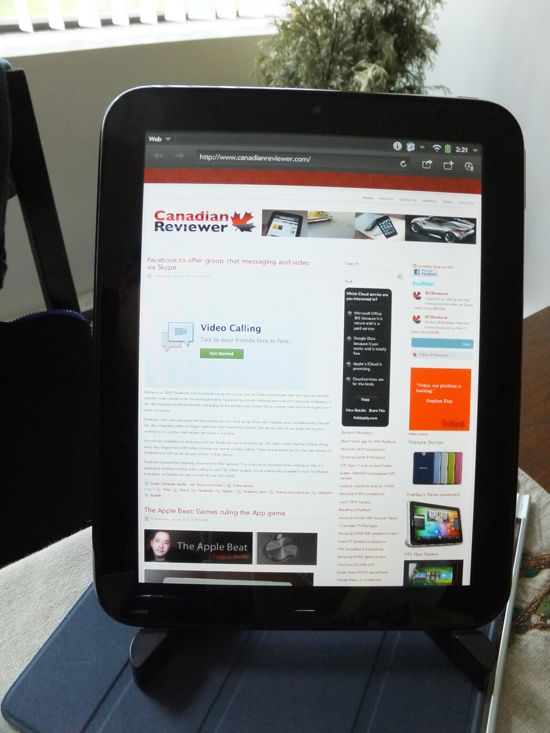
Adobe Flash is a highly touted feature that differentiates the TouchPad from the iPad and Flash does work well on this, specially for video within webpages and the occasional Flash enabled restaurant website.
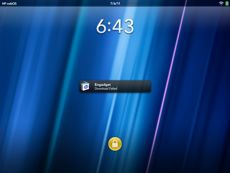 We were impressed with the native Mail application which worked well thanks in part to HP's Synergy cloud collecting application that accesses all your relevant accounts for easy updating.
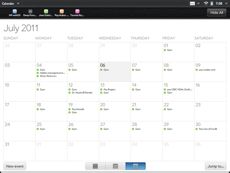
Synergy signs in to your Facebook, Google, Microsoft Exchange, LinkedIn and Yahoo! accounts and your information automatically populates your device so developers can easily plug new Messaging, Contacts and Calendar application sources directly into the core webOS experience. it is seamless and effective.
Enterprise users will find a lof of the TouchPad's features enticing such as remote wipe (if a device goes missing) as well as support for VPN and multiple Exchange accounts.
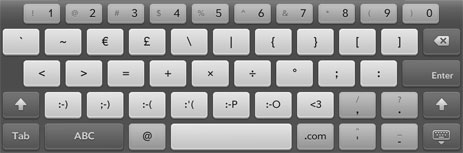 The software keyboard is relatively responsive and has more buttons and numbers offered up close than any of its competitiors which we like. Still, typing on the screen is okay for short spells, HP offers an external Bluetooth keyboard accessory for prolonged text input.
Conclusion
webOS and the HP TouchPad are the latest entrants to the tablet race and the third mobile OS to have both a smartphone and tablet OS. The HP TouchPad is competing in a space and price point that is already hotly contested by the iPad 2, the Motorola XOOM and come August, Toshiba's Thrive and Samsung's Galaxy Tab 10" inch.
The HP TouchPad is heavier and thicker than many of its competitors which may be a big deal for some, it didn't bother us. webOS fans and those who want a 10" inch tablet future away from Apple or Google now have a somewhat viable option and we're convinced HP is going to continue to improve this product.
As it stands today, the HP TouchPad is undercooked, a bit bloody and raw but we expect this to be remedied once the promised software update fixes things. If HP can entice a sizeable developer exodus, then we will have a fight on our hands.
 We enjoyed using webOS more than we do Google's Honeycomb OS (but were floored at how much faster the XOOM was in simple browser speed tests), there's more about webOS that is intuitive and user-centric. It is a more considerate OS all around.
Interested buyers should really try the device for themselves, we feel that if all you are going to do right now is surf the web and manage e-mail, Facebook and play Angry Bird-type games then you'll be satisfied but considering what you're paying for and what is out there already, the HP TouchPad is a tough sell.
Rating: 3 out of 5
Related stories
- RIM BlackBerry PlayBook Review
- Samsung Galaxy Tab 7" Review
Print Article Permalink tagged Apple, HP, HP TouchPad, Honeycomb, Palm, WebOS, iOS, iPad, tablets Email Article in Buyers Guide, Columns, Gadjo Sevilla, Lifestyle, Mobile, News, Public service, Reviews, Tablets
Reader Comments (1)
I was seraching for hp touchpad review.. Thanks for your useful post.