Wednesday
Dec142016

Adobe Photoshop is finally Touch Bar-ready

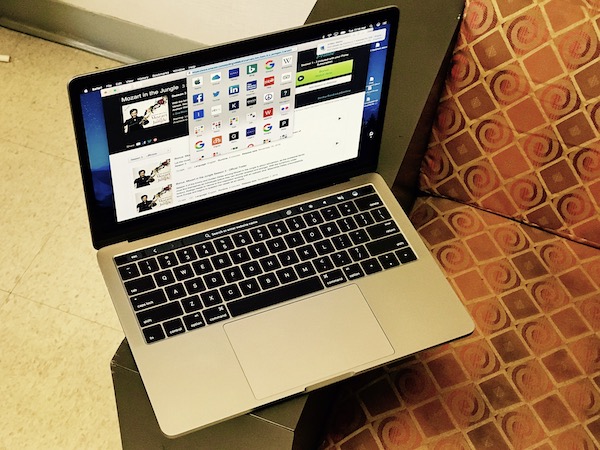
As you probably know, Apple’s new MacBook Pro does away with physical function keys to make space for the swipe-friendly Touch Bar. Apple claims this will make it easier to do things such as making edits with apps like Adobe Photoshop and Final Cut Pro. These apps weren’t ready yet when the new laptops came out but now Adobe’s photo-editing app has finally brought new Touch Bar-ready features to its space.

Photoshop now gives you quick access to tools from the Touch Bar and eve provide a contextual next step depending on the task you just completed. The features introduced with the Touch Bar are divided into three parts: Layer Properties, Brushes, and Favorites. You have access to blend modes, scrubbing through a file’s history, clipping layers, etc. with the Layer Properties section. For Brushes, you get a slider that lets you adjust things such as color, size, and opacity, among others. And Favorites, as the name suggests, brings you the most used Touch Bar features so you can access these quickly. This isn’t the final iteration, though, as Adobe says it intends to “continue to evolve” Touch Bar support, meaning we could be seeing more features in the future.

Source: Engadget

Wednesday
Dec142016

New Android app looks to correct your posture

If you’re like me, your posture can be rated as something that needs improvement. Our incessant use of smartphones and other mobile devices aren’t helping the situation. It makes sense then that there’s an app to remind you to correct your posture and help keep at bay any aches and pains. This new and free Android app is called Posture and its philosophy revolves around the idea of being mindful over how you hold your phone. If you continuously look down, that strains your neck and shoulders. This app will remind you to periodically hold the phone at eye-level and let your hand and arm do the work.

Posture lets you set the time intervals when you want it to remind you. It show up as a floating icon on your phone, which should be enough to draw your attention to it. The app even lets you customize how the reminder look and where on the screen it will appear.

Source: Lifehacker

Tuesday
Dec132016

Google buys Cronologics to boost Android Wear efforts

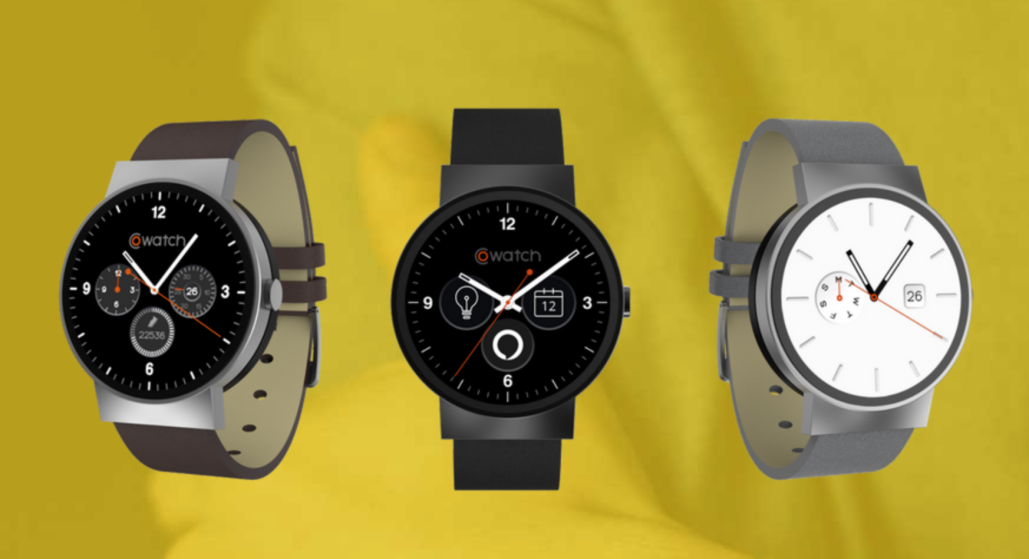
Google’s latest acquisition looks to improve Android Wear’s chances of a more sustainable future—or at least that is the hope. The tech giant bought Cronologics, the company behind CoWatch’s software, which is an Android-based smartwatch operating system that also brings Amazon Alexa to smartwatches. The team will be joining Google and working on Android Wear and they plan to “help grow the portfolio of watches powered by Android Wear” and will be “pushing the frontier of wearable technology and smartwatches with Android Wear 2.0 and beyond.” Interestingly, a number of Cronologics employees are also ex-Googlers, making this a homecoming of sorts for them.

Source: TechCrunch

Tuesday
Dec132016

Review: Apple MacBook Pro (Late 2016)

By Gadjo Cardenas Sevilla

The new generation of MacBook Pros feel like the very distillation of Apple’s design ideals. Thin, light, and powerful hardware that’s designed to dominate in content creation, but it does so at the expense of some personality.

Apple has always made premium notebooks for professionals. Featuring the latest technologies and necessary I/O ports for connecting to various peripherals and which replicated the capabilities of the desktop Macs. While costing a premium, Apple’s PowerBooks and MacBook Pros were tools that eventually paid for themselves. 

The previous MacBook Pro line has been the standard bearer of professionals and creatives. A step up from trusty MacBook Airs, the Pros didn’t just have great battery life, they had the top processing speed, and all the fine features that made getting work done a pleasure. With sharp Retina Displays, the best keyboard on the market, the best glass trackpads  and an abundance of the right kind of ports .

The new MacBook Pros, well. They’re something else entirely. 

Click to read more ...