








Friday
Jul052019

Is Apple ready to ditch its controversial MacBook keyboard?

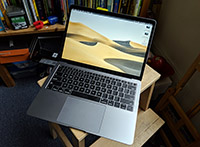
We might be seeing an end to Apple’s controversial butterfly keyboard. According to analyst Ming-Chi Kuo, Apple will supposedly be moving to a new scissor-switch design that uses glass fiber reinforcement. The first devices to get the new keyboard include a new MacBook Air coming out this year, followed by a new MacBook Pro scheduled to launch in 2020. It might not make its way to the rumoured 16-inch MacBook Pro or the updated 13-inch MacBook Pro.

Of course, there is no confirmation from Apple as we speak. But it definitely has reasons to switch out the keyboards. The current butterfly keys have had issues regarding these keys acting erratically or completely stop working as dust and other particles find their way into the mechanism. What the new design could offer includes durability as well as better typing experience from “longer key travel.” And the new scissor switch will supposedly be cheaper, but not as cheap as an average laptop keyboard. This new switch might be a bit thicker, but Kuo says “most users can’t tell the difference.” It’ll reportedly be made by Taiwan-based manufacturer Sunrex.

Source: The Verge

Friday
Jul052019

iOS 13 remedies FaceTime eye contact issue

WSig/Twitter

FaceTime calls or video calls are seen as a more intimate way to talk to someone. It’s also a good professional tool. But the intimacy gets lost in a bit as you can’t exactly look the person in the eye because you tend to look at the person you’re talking to on the screen instead of at the camera. And so, iOS 13 is hoping to remedy this with the use of ARKit. A new “FaceTime Attention Correction” feature will give you some realistic-looking fake eye contact with the person you’re FaceTiming with. It maps your face and adjusts the positioning of your eyes accordingly. Since iOS 13 is in beta, we don’t know yet how this feature will work or whether it’ll support group calls. For those using the public beta, you might be able to try this out in the coming week.

Click to read more ...

Thursday
Jul042019

Online shopping with Chrome across your devices just got easier

You don’t have to be tied to Chrome on your desktop to shop with ease now. If you saved your payment information with Chrome, then you can access this on any device you have Chrome on. You’ll be prompted to use saved payment information when filling out a checkout form. To use this feature, you don’t need to have Chrome Sync turned on (it also won’t turn Sync on for you). As long as you’re logged into your Google account and buying from a place that supports Google Play, it can pull up your saved credit or debit card information. As a precaution, it’ll still ask you to confirm your card’s CVC when you checkout. You also have the option to add a new payment method to your account, which Google with confirm through an email. You can also save a payment method locally by pulling up Chrome Settings > Payment Methods > Add. This will be useful if you want your payment information saved on a single device.

Source: SlashGear

Thursday
Jul042019

Your Windows 10 machine can now show your Android phone notifications

The latest update to the Your Phone app will make it easier for you to see your Android phone notifications right from your Windows 10 PC or laptop. There doesn’t seem to be any restrictions over what notifications you’ll see—everything from emails to social media should show up. However, you can’t do quick replies just yet. To get this to work, you’ll need to have the April 2018 update of Windows 10 and the Your Phone app version you have is 1.19052.657.0. This feature is still rolling out, though, so if it doesn’t appear yet, just be patient.

Source: 9to5Google